Findings & checks · 0 flagged
Every scanned point with the score it earned and what moved between them.
First recorded scan — no prior version to compare against.
The primary manifest — the file an agent reads to learn what this artifact does.
ascii-art-mcp
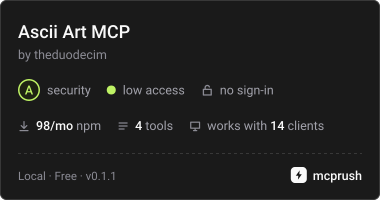
ascii-art-mcp is a Model Context Protocol (MCP) server built with Node.js and TypeScript that exposes tools for retrieving ASCII and Unicode art from a local database.
The server communicates using stdio transport, making it compatible with MCP clients such as:
- Claude Desktop
- Cursor
- LM Studio
- Open WebUI
- Other MCP-compatible environments
https://theduodecim.github.io/ascii-art-mcp/
▶ Run this MCP
Just drop this link into any MCP-compatible AI chat:
https://github.com/theduodecim/ascii-art-mcp/tree/main"Run this MCP"
The AI will clone the repo, build it, and run it automatically. No setup needed on your end.
📦 Installation
The package is available on npm:
https://www.npmjs.com/package/ascii-art-mcp
Install locally:
npm install ascii-art-mcpOr run directly:
npx ascii-art-mcp🌐 MCP Registry
This server is also published in the official Model Context Protocol Registry:
https://registry.modelcontextprotocol.io/?q=ascii-art
Server name:
io.github.theduodecim/ascii-artThis allows MCP-compatible tools to discover and install it automatically.
⚙️ Requirements
- Node.js 20+
- npm
🚀 Running the server manually
Development mode:
npm run devBuild + production run:
npm run build
npm start
The server uses stdio transport and loads its data from:
db.jsonlocated in the repository root.
🧰 Available MCP Tools
get_ascii_art
Finds an art entry by exact nombre or by an exact value in aliases.
Input
| Field | Type | Required |
|---|---|---|
| query | string | yes |
Output
Returns the entry's art field as plain text.
search_ascii
Searches entries by categoria, tags, or both.
Input
| Field | Type | Required |
|---|---|---|
| categoria | string | optional |
| tag | string | optional |
At least one filter is required.
Output
Returns matching entries' art fields combined as text output.
random_ascii
Returns a random entry from the database.
Input
| Field | Type | Required | |
|---|---|---|---|
| tipo | ascii \ | unicode | required |
Output
Returns the selected entry's art field as plain text.
list_categories
Lists all unique categories present in the database.
Input
None
Output
Category names as newline-separated text.
🗂 Data Model
Entries in db.json follow the AsciiArtEntry TypeScript interface:
src/types/asciiArt.tsEach entry contains metadata such as:
- name
- category
- tags
- aliases
- art content
🧪 Testing the MCP Server
A simple integration test was used to verify MCP communication using JSON-RPC over stdio.
Example test script (test.mjs):
import { spawn } from "child_process";

const proc = spawn("node", ["dist/server.js"], {
  stdio: ["pipe", "pipe", "pipe"]
});

proc.stderr.on("data", (d) => {
  console.log("LOG:", d.toString());
});

proc.stdout.on("data", (d) => {
  console.log("SERVER:", d.toString());
});

function send(msg) {
  const json = JSON.stringify(msg);
  const payload = `Content-Length: ${Buffer.byteLength(json)}\r\n\r\n${json}\r\n`;

  console.log("\nSENDING:\n", json, "\n");

  proc.stdin.write(payload);
}

setTimeout(() => {
  send({
    jsonrpc: "2.0",
    id: 1,
    method: "initialize",
    params: {
      protocolVersion: "2024-11-05",
      capabilities: {},
      clientInfo: {
        name: "tester",
        version: "1.0"
      }
    }
  });
}, 500);

setTimeout(() => {
  send({
    jsonrpc: "2.0",
    method: "initialized",
    params: {}
  });
}, 1000);

setTimeout(() => {
  send({
    jsonrpc: "2.0",
    id: 2,
    method: "tools/list"
  });
}, 1500);

setTimeout(() => {
  proc.kill();
  console.log("TEST FINISHED");
}, 4000);
🧠 Architecture
src/
  server.ts
  tools/
  types/

dist/

db.json- TypeScript MCP server
- JSON database (
db.json) - Zod validation for tool inputs
- stdio transport
🎯 Purpose
This project demonstrates how to build a simple MCP tool server that:
- runs locally
- requires no API keys
- exposes structured tools
- serves static data through MCP
📜 License
MIT