Findings & checks · 0 flagged
Every scanned point with the score it earned and what moved between them.
First recorded scan — no prior version to compare against.
The primary manifest — the file an agent reads to learn what this artifact does.
ExcelMcp - MCP Server for Microsoft Excel








Website · Installation · Features · Troubleshooting · 2-minute demo
Automate real Microsoft Excel with AI. Excel MCP Server lets GitHub Copilot, Claude, ChatGPT, and other agents control Excel through natural-language requests—using either MCP or a token-efficient CLI.
Unlike file-parser tools, ExcelMcp drives the actual Excel application through its official COM API. It can refresh Power Query, recalculate formulas, evaluate DAX, run VBA and Python =PY(), and preserve PivotTables, charts, macros, the Data Model, and workbook formatting.
64 MCP tools across 33 feature areas, with 437 operations, cover end-to-end Excel automation.
[!IMPORTANT] Requires Windows, Microsoft Excel 2016 or later, and an interactive desktop. It is not intended for Linux, macOS, or server-side batch processing.
🚀 Get Started
| Use case | Recommended path |
|---|---|
| VS Code | Install the extension |
| Claude Desktop or another MCP client | Install the MCP Server |
| Coding agents (fewer AI tokens) | Install the CLI |
| Not sure which to choose? | Read the installation overview |
For GitHub Copilot CLI, install either plugin from the Awesome Copilot Excel listings:
copilot plugin install excel-mcp@awesome-copilot
# Or, for command-line Excel automation:
copilot plugin install excel-cli@awesome-copilot
For a workbook already open in Excel, use discovery and attachment to keep working in that workbook. Excel determines whether newly opened files are read-only.
What You Can Automate
- [Data & analytics](https://excelmcpserver.dev/features/data-analytics/):
Power Query, DAX, Power Pivot, Excel Tables, PivotTables, and data connections.
- [Cells & workbooks](https://excelmcpserver.dev/features/cells-workbooks/):
ranges, formulas, formatting, worksheets, files, calculation, and named ranges.
- [Charts & visuals](https://excelmcpserver.dev/features/charts-visuals/):
charts, slicers, conditional formatting, screenshots, drawings, and sparklines.
- [Automation & advanced](https://excelmcpserver.dev/features/automation-advanced/):
VBA, Python in Excel, Goal Seek, scenarios, data tables, windows, and XML Maps.
Explore the capabilities behind all 437 operations. Current command details come from CLI help or the MCP tool descriptions.
See It in Action
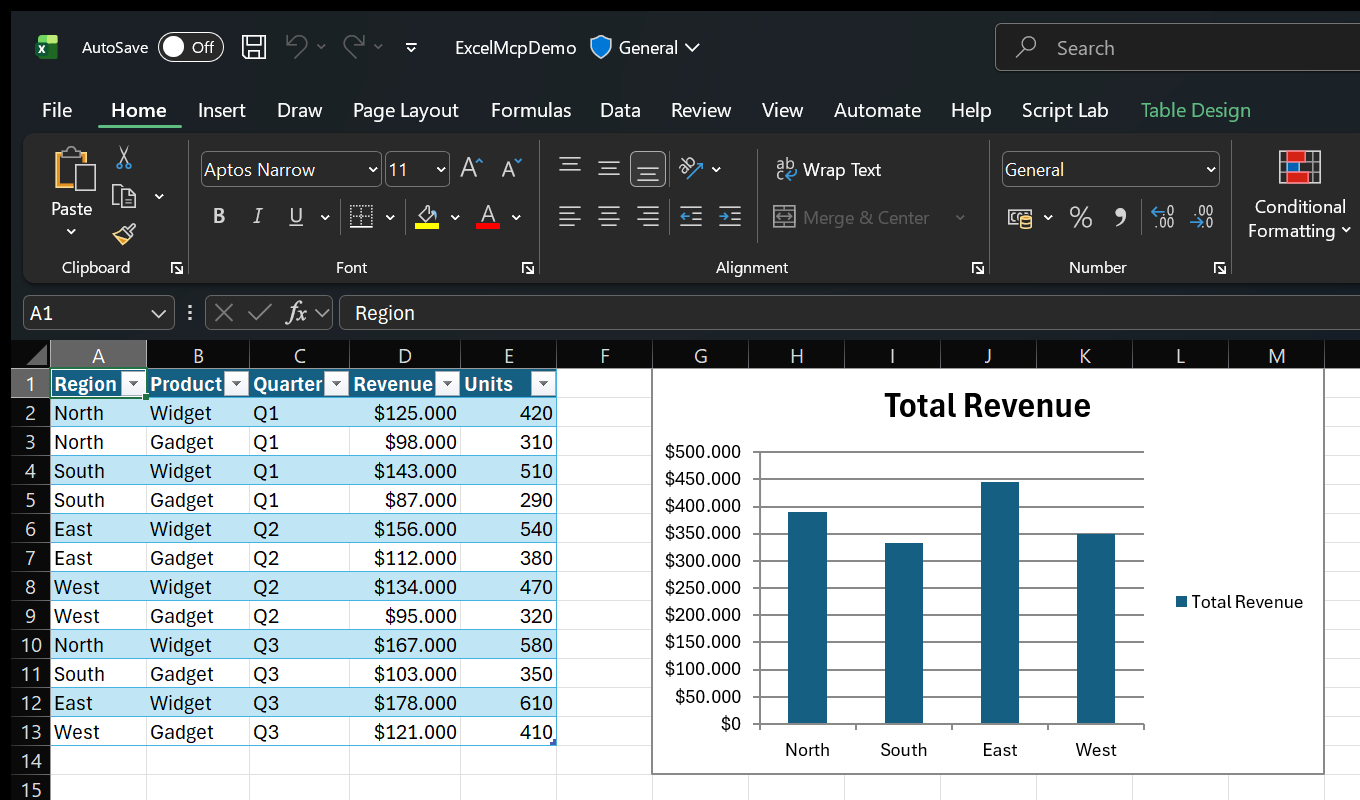
Ask in plain language:
- "Import products.csv with Power Query and load it to the Data Model."
- "Create a PivotTable showing revenue by region, then add a column chart."
- "Use Goal Seek to find the price that produces $100,000 profit."
- "Show me Excel while you work."
Because Excel performs the work, you can inspect results live and continue editing the workbook normally.
See more examples and use cases.
MCP Server or CLI?
Both entry points expose the same Excel commands and behavior, so the choice is technical. Coding agents can use either one.
| Interface | Works with | Why |
|---|---|---|
| MCP Server | Any MCP-compatible client | Tool discovery and persistent sessions |
| CLI (`excelcli`) | Agents that can run terminal commands | Built-in help without loading MCP tool definitions, usually with fewer AI tokens |
Both entry points run Excel commands in separate worker processes, so a blocked Excel operation does not block their basic controls. The CLI also keeps a background service running so workbook sessions persist across commands.
AI assistant or script
        │
   MCP Server / CLI
        │
 Shared Excel commands
        │
 Real Excel COM API
Read the architecture or browse the MCP Server and CLI guides.
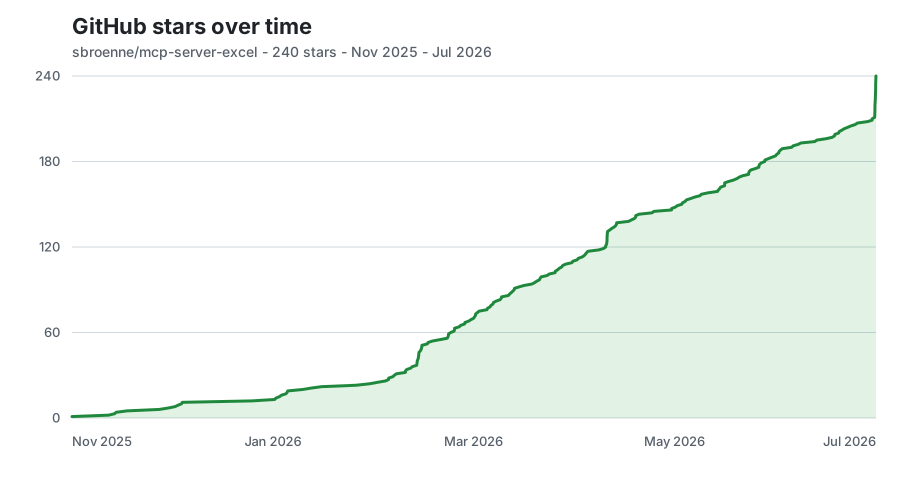
⭐ GitHub Star History
📋 Additional Information
Documentation · Changelog · Contributing · Security · Privacy
License: MIT License - see LICENSE file
Related Projects
Other projects by the author:
- PowerPoint MCP Server — AI-powered PowerPoint automation via MCP, the sister project to this one
- pytest-skill-engineering — LLM-powered testing framework for AI agents
- Windows MCP Server — AI-powered Windows automation via MCP
- OBS Studio MCP Server — AI-powered OBS Studio automation