CategoryWeightCategory scoreContribution
Securityprompt, exec, net, exfil, eval
35%
35.0 pts
Supply chainhash, typosquat, maintainer, lockfile
20%
20.0 pts
Maintenancestaleness, pinning, CI
15%
15.0 pts
TransparencySKILL.md, perms, README
15%
15.0 pts
Communityinstalls, verify, response
15%
15.0 pts
Findings & checks · 0 flagged
Security
✓—All security checks passedNo findings in this category for the latest scan.pass
Supply chain
✓—All supply chain checks passedNo findings in this category for the latest scan.pass
Maintenance
✓—All maintenance checks passedNo findings in this category for the latest scan.pass
Transparency
✓—All transparency checks passedNo findings in this category for the latest scan.pass
Community
✓—All community checks passedNo findings in this category for the latest scan.pass
Every scanned point with the score it earned and what moved between them.
c5d6dcc
First recorded scan — no prior version to compare against.
The primary manifest — the file an agent reads to learn what this artifact does.
skill4agent CLI




🚀 The easiest way to install and manage Agent Skills for AI coding assistants
By skill4agent.com - A command-line tool for installing Agent Skills.
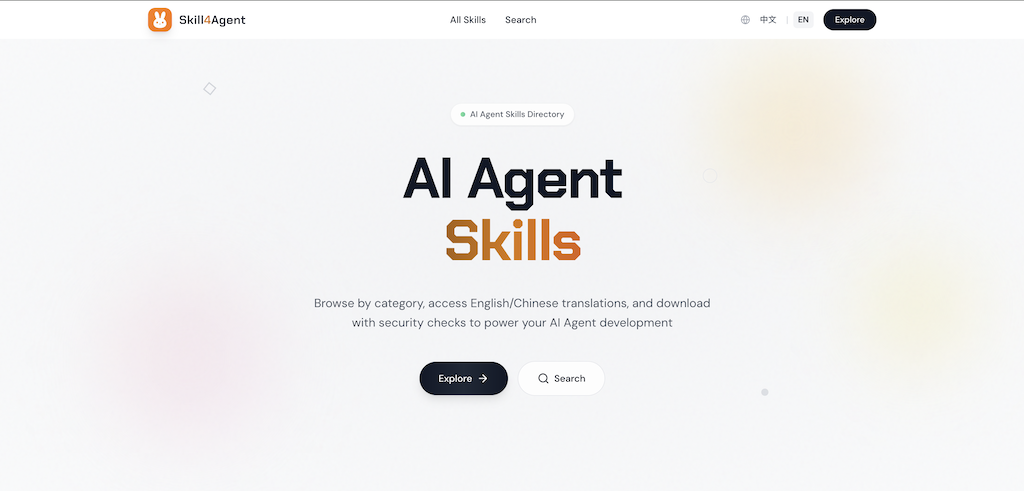
🌟 Why skill4agent?
- 🎯 Curated Skills: Access a vast collection of high-quality skills from skill4agent.com
- 🌐 Bilingual Support: Every skill includes both English and Chinese translations, breaking language barriers
- ✅ Quality Assurance: Automated script detection ensures all skills are safe and reliable
- 🏷️ Smart Categorization: Fine-grained categories and tags help you quickly find the right skill
- 🤖 AI-Optimized: Tags are embedded in SKILL.md, enabling AI Agents to match your needs more accurately
- ⚡ One-Command Install: Install any skill to multiple IDEs with a single command
- 🔧 Multi-IDE Support: Works with Trae, Cursor, Claude, OpenCode, OpenClaw, and more
- 🌍 Global & Project Installation: Install globally or per-project
- 📦 Smart Management: List and uninstall skills easily
Installation
# Using npx (recommended - no installation required)
npx skill4agent <command>

# Or install globally
npm install -g @skill4agent/cli
💡 Find available skills at skill4agent.com -<source>: The source repository (e.g.,anthropics/skills) -<skill>: The skill name (e.g.,frontend-design)
# Search for skills
npx skill4agent search <keyword> [options]

# View skill details (includes SKILL.md content)
npx skill4agent read <source> <skill_name> [options]

# Interactive installation (recommended for beginners)
npx skill4agent add <source> <skill>

# Non-interactive installation (for scripts and AI automation)
npx skill4agent install <source> <skill> [options]

# List installed skills
npx skill4agent list

# Uninstall a skill
npx skill4agent uninstall <skill>
Commands
search - Search Online Skills
Search for skills in the skill registry.
npx skill4agent search <keyword> [options]| Option | Description | Default |
|---|---|---|
-l, --limit | Number of results to return | 10 |
-j, --json | Output in JSON format (more friendly for AI parsing) | false |
Output fields:
- source: Repository source (e.g.,
vercel-labs-agent-skills) - skill_name: Skill name
- category: Skill category
- description: Full skill description
- tags: Skill tags
- installs: Total installation count
- has_script: Whether the skill contains scripts (true/false)
- script_check_result: Script check result (only shown when has_script is true)
- script_check_notes: Script check notes (only shown when script_check_result is not "safe")
read - Read Skill Details
View detailed information and content of a skill.
npx skill4agent read <source> <skill_name> [options]| Option | Description | Default |
|---|---|---|
--type | Content type: original or translated | original |
-j, --json | Output in JSON format | false |
Output fields:
- skillId: Skill ID
- source: Repository source
- skill_name: Skill name
- description: Skill description
- tags: Skill tags
- category: Skill category
- installs: Total installation count
- Translation: Original language and translation availability
- Script: Script check results
- ContentType: Content type (original/translated)
- Content: SKILL.md content
add - Interactive Installation
Interactive installation with prompts for configuration options.
npx skill4agent add <source> <skill>install - Non-interactive Installation
For scripts and AI automation with explicit options.
npx skill4agent install <source> <skill> [options]| Option | Description | Default |
|---|---|---|
--type | original or translated | original |
--global | Install globally (available to all projects) | project dir |
--dirs | Installation directories (comma-separated): .trae,.cursor | .agents only |
--method | symlink or copy | symlink |
list - List Installed Skills
Display all installed skills with their installation details.
npx skill4agent listOutput columns:
- Name: Skill name
- Source: Repository source (e.g.,
anthropics/skills) - Scope: Installation scope (
Global,Project, orGlobal,Project) - Installed: Installation date
uninstall - Uninstall a Skill
Remove an installed skill.
# Uninstall from all scopes (global and all projects)
npx skill4agent uninstall <skill>

# Uninstall from global only
npx skill4agent uninstall <skill> --global

# Uninstall from all projects only (non-global installations)
npx skill4agent uninstall <skill> --project
Examples
Search Examples
# Search for skills (default 10 results)
npx skill4agent search react

# Search with custom limit
npx skill4agent search react -l 5
View Details Examples
# View original content (non-JSON format, view original content)
npx skill4agent read anthropics/skills frontend-design

# View translated content (JSON format, view translated content)
npx skill4agent read anthropics/skills frontend-design --type translated -j
Installation Examples
# Minimal: install with all defaults
npx skill4agent install anthropics/skills frontend-design

# Install to specific directories (comma-separated)
npx skill4agent install anthropics/skills frontend-design --dirs ".trae,.cursor"

# Global installation (available to all projects)
npx skill4agent install anthropics/skills frontend-design --global

# Full options
npx skill4agent install anthropics/skills frontend-design \
  --type original \
  --global \
  --dirs ".trae,.cursor" \
  --method symlink
List Example
$ npx skill4agent list

📦 Installed Skills (3 skills, 5 installs)
────────────────────────────────────────────────────────────────────────────────
Name                      Source                    Scope           Installed
────────────────────────────────────────────────────────────────────────────────
frontend-design           anthropics/skills         Global,Project  2026/02/08
agent-tools               inferencesh/skills        Global          2026/02/07
web-search                custom/skills             Project         2026/02/06
────────────────────────────────────────────────────────────────────────────────

Total: 3 skills (5 installs)
Uninstall Examples
# Uninstall completely (all scopes)
npx skill4agent uninstall frontend-design

# Uninstall from global only
npx skill4agent uninstall frontend-design --global

# Uninstall from all projects only
npx skill4agent uninstall frontend-design --project
🔗 Useful Links
- 🌐 Website: skill4agent.com - Discover and browse all available skills
- 📦 npm Package: npmjs.com/package/@skill4agent/cli
- 💻 GitHub Repository: github.com/osulivan/skill4agent-cli
<p align="center"> Made with ❤️ by <a href="https://www.skill4agent.com">skill4agent.com</a> </p>