Findings & checks · 0 flagged
Every scanned point with the score it earned and what moved between them.
First recorded scan — no prior version to compare against.
The primary manifest — the file an agent reads to learn what this artifact does.
mcp-boards-nk




MCP server for Mattermost Boards (Focalboard) — lets Claude and other MCP-compatible clients list teams, boards, and cards, create and update tasks, add comments, and more — all via natural language.
The first MCP server with full support for Mattermost Boards (Focalboard).
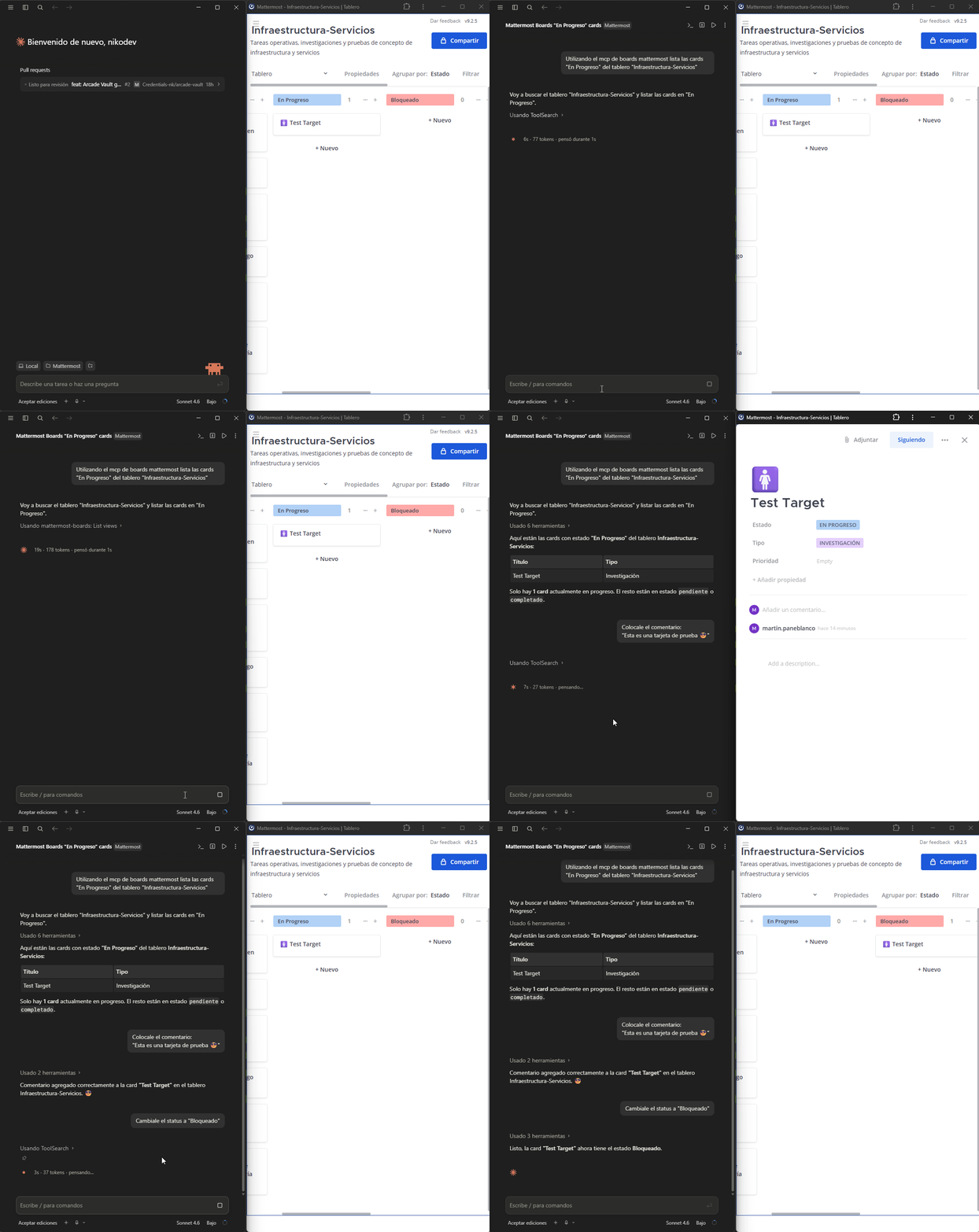
Tools available
| Tool | Description |
|---|---|
list_teams | List all Mattermost teams |
list_boards | List boards in a team |
get_board | Get board details including properties and columns |
list_cards | List cards/tasks in a board. Optional filter: filter_property + filter_value (e.g. prop_estado / opt_pendiente) |
get_card | Get full card details |
create_card | Create a new card with title, properties and content |
update_card | Update title, properties or content of an existing card |
delete_card | Delete a card from a board |
add_comment | Add a comment to a card |
list_views | List views of a board (kanban, table, gallery…) |
list_board_members | List members of a board |
Requirements
- Self-hosted Mattermost instance with the Boards (Focalboard) plugin enabled
- A Mattermost Personal Access Token
Installation
Run the interactive setup wizard — it configures Claude Desktop or Claude Code automatically:
npx --prefer-online --package=mcp-boards-nk mcp-boards-nk-setup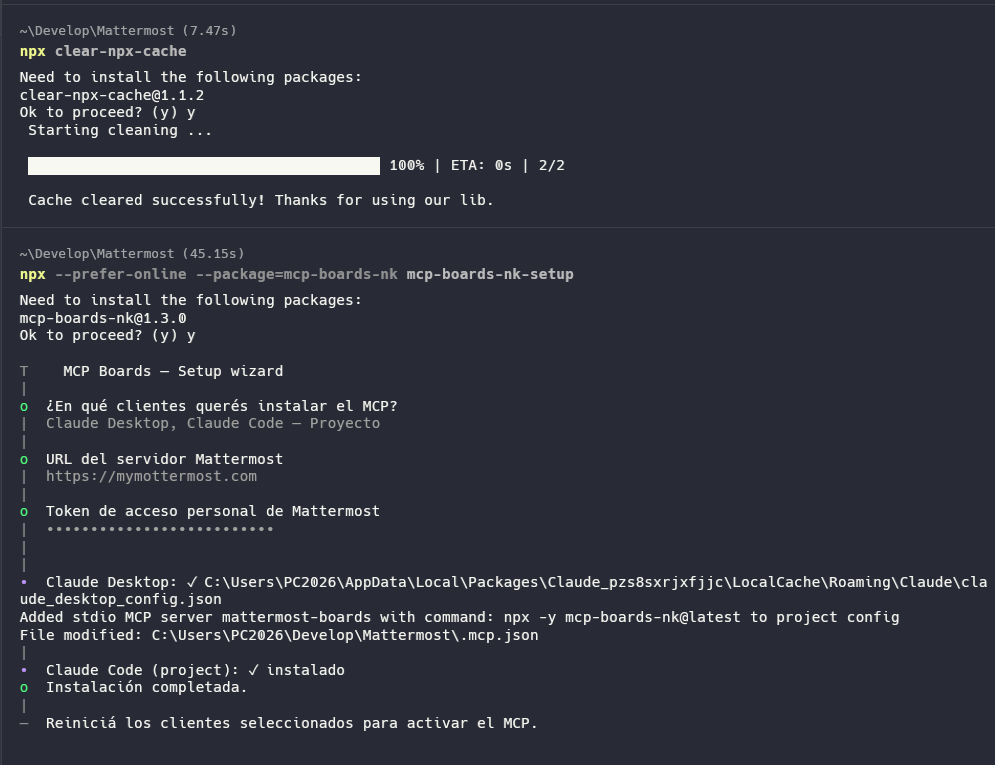
The wizard will ask you:
- Which client to install to (Claude Desktop / Claude Code global or project)
- Your Mattermost URL
- Your personal access token
You can install to multiple clients in a single run.

Uninstall
npx --prefer-online --package=mcp-boards-nk mcp-boards-nk-setup --uninstallSelect which clients to remove the MCP from and the wizard handles the rest.
Environment variables
| Variable | Required | Description |
|---|---|---|
MATTERMOST_URL | ✅ | Base URL of your Mattermost instance (no trailing slash) |
MATTERMOST_TOKEN | ✅ | Personal access token of the Mattermost user |
Getting a Personal Access Token
- Go to Profile → Security → Personal Access Tokens → Edit
- Click Create Token, give it a name, copy the value
If the option doesn't appear, ask your Mattermost admin to enable it: System Console → User Management → Users → Manage Roles → Allow this account to generate personal access tokens
How to use card properties
When creating or updating cards, pass properties as a JSON object using the IDs defined in the board. Use get_board to see all available property IDs and their option values.
Example:
{
  "prop_estado": "opt_pendiente"
}
License
MIT