Findings & checks · 0 flagged
Every scanned point with the score it earned and what moved between them.
First recorded scan — no prior version to compare against.
The primary manifest — the file an agent reads to learn what this artifact does.
小红书MCP服务


一个用于小红书API的MCP(Model Context Protocol)服务器,支持搜索笔记、获取内容、查看评论和发表评论等功能。
特点
- [x] 采用js逆向出x-s,x-t,直接请求http接口,无须笨重的playwright
- [x] 搜索笔记
- [x] 获取笔记内容
- [x] 获取笔记的评论
- [x] 发表评论
快速开始
方法一:使用uvx(推荐)
#### 1. 环境要求
- Python 3.12+
- uv (安装方法:
pip install uv)
#### 2. 获取小红书的cookie 打开web小红书 登录后,获取cookie,将cookie配置到下一步的 XHS_COOKIE 环境变量中 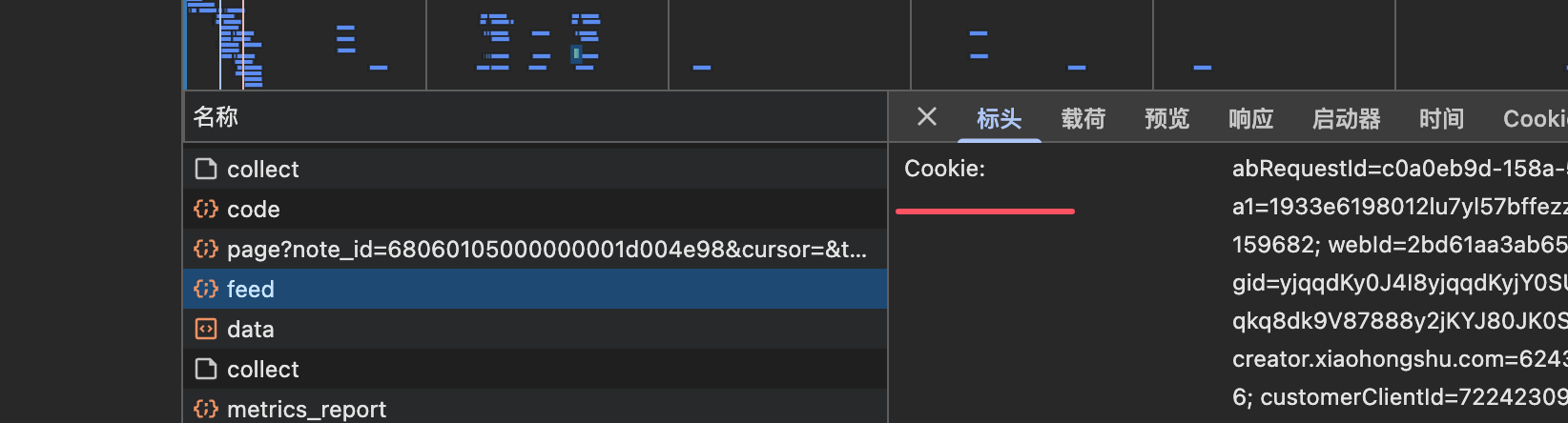
#### 3. 配置MCP服务器
在你的MCP客户端配置文件中添加以下配置:
{
    "mcpServers": {
        "xhs-mcp": {
            "command": "uvx",
            "args": [
                "--from",
                "jobson-xhs-mcp",
                "xhs-mcp"
            ],
            "env": {
                "XHS_COOKIE": "你的小红书cookie"
            }
        }
    }
}
#### 4. 测试运行
# 设置环境变量
export XHS_COOKIE="你的小红书cookie"

# 直接运行测试
uvx --from jobson-xhs-mcp xhs-mcp --help
方法二:从源码安装
#### 1. 环境要求
- node
- python 3.12
- uv (pip install uv)
#### 2. 克隆并安装
git clone [email protected]:jobsonlook/xhs-mcp.git
cd xhs-mcp
uv sync
#### 3. 获取小红书的cookie 打开web小红书 登录后,获取cookie,将cookie配置到下一步的 XHS_COOKIE 环境变量中
#### 4. 配置MCP服务器
{
    "mcpServers": {
        "xhs-mcp": {
            "command": "uv",
            "args": [
                "--directory",
                "/path/to/xhs-mcp",
                "run",
                "xhs_mcp/__main__.py"
            ],
            "env": {
                "XHS_COOKIE": "你的小红书cookie"
            }
        }
    }
}
可用工具
本MCP服务器提供以下工具:
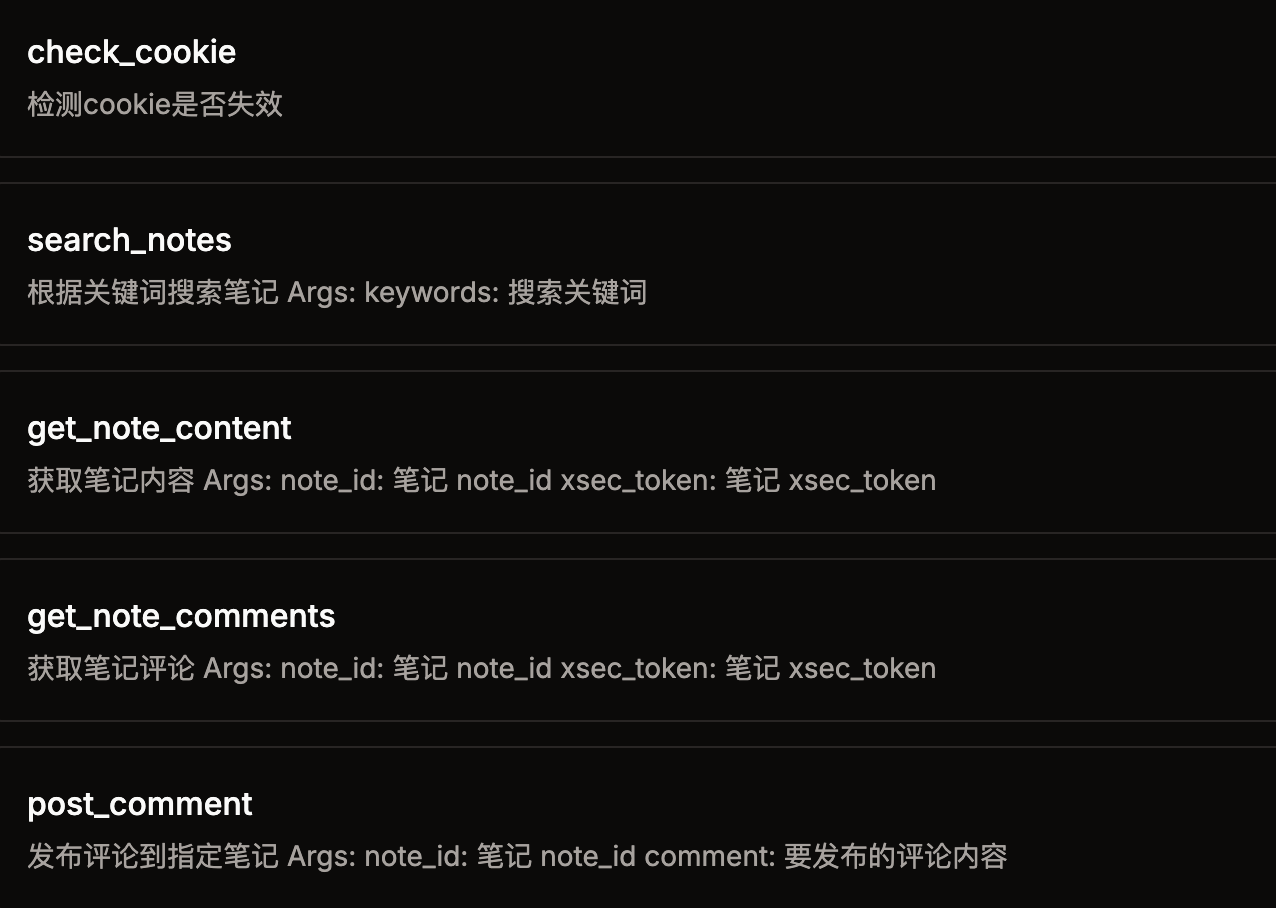
check_cookie()- 检测cookie是否失效home_feed()- 获取首页推荐笔记search_notes(keywords)- 根据关键词搜索笔记get_note_content(url)- 获取笔记内容(需要带xsec_token的完整URL)get_note_comments(url)- 获取笔记评论(需要带xsec_token的完整URL)post_comment(comment, note_id)- 发布评论到指定笔记
使用示例
在Claude Desktop中使用
- 打开Claude Desktop的设置
- 找到MCP服务器配置
- 添加上述JSON配置
- 重启Claude Desktop
- 现在你可以在对话中使用小红书相关功能了
常见问题
Q: Cookie如何获取? A: 在浏览器中登录小红书网页版,打开开发者工具,在Network标签页中找到任意请求,复制Cookie头的值。
Q: 为什么提示cookie失效? A: 小红书的cookie有时效性,需要定期更新。重新登录网页版获取新的cookie即可。
Q: uvx命令找不到? A: 请先安装uv:pip install uv,然后确保PATH环境变量包含uv的安装路径。
免责声明
本项目仅用于学习交流,禁止用于其他用途,任何涉及商业盈利目的均不得使用,否则风险自负。