Findings & checks · 0 flagged
Every scanned point with the score it earned and what moved between them.
First recorded scan — no prior version to compare against.
The primary manifest — the file an agent reads to learn what this artifact does.
OpenAPI to Model Context Protocol (MCP)






The OpenAPI-MCP proxy translates OpenAPI specs into MCP tools, enabling AI agents to access external APIs without custom wrappers!
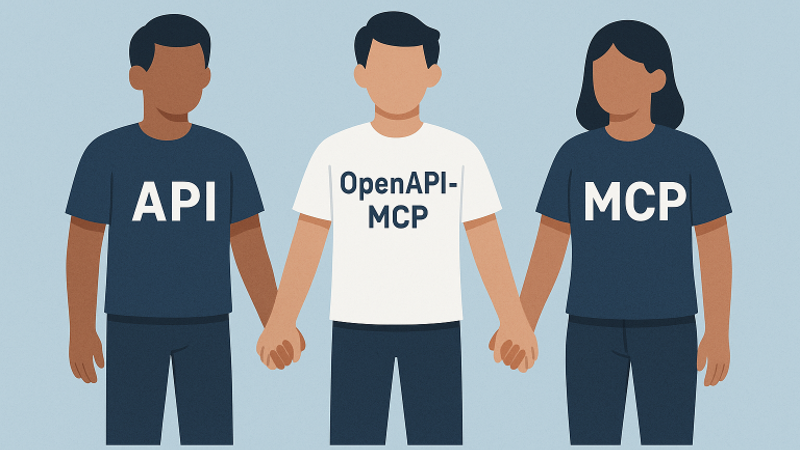
Bridge the gap between AI agents and external APIs
The OpenAPI to Model Context Protocol (MCP) proxy server bridges the gap between AI agents and external APIs by dynamically translating OpenAPI specifications into standardized MCP tools, resources, and prompts. This simplifies integration by eliminating the need for custom API wrappers.
Built with FastMCP following official MCP patterns and best practices, the server provides:
- ✅ Official FastMCP Integration - Uses the latest FastMCP framework for optimal performance
- ✅ Proper MCP Transport - Supports stdio, SSE, and streamable HTTP transports
- ✅ Modular Architecture - Clean separation of concerns with dependency injection
- ✅ Production Ready - Robust error handling, comprehensive logging, and type safety
- Repository: https://github.com/gujord/OpenAPI-MCP
If you find it useful, please give it a ⭐ on GitHub!
Key Features
Core Functionality
- FastMCP Transport: Optimized for
stdio, working out-of-the-box with popular LLM orchestrators. - OpenAPI Integration: Parses and registers OpenAPI operations as callable tools.
- Resource Registration: Automatically converts OpenAPI component schemas into resource objects with defined URIs.
- Prompt Generation: Generates contextual prompts based on API operations to guide LLMs in using the API.
- Dual Authentication: Supports both OAuth2 Client Credentials flow and username/password authentication with automatic token caching.
- MCP HTTP Transport: Official MCP-compliant HTTP streaming transport with JSON-RPC 2.0 over SSE.
- Server-Sent Events (SSE): Legacy streaming support (deprecated - use MCP HTTP transport).
- JSON-RPC 2.0 Support: Fully compliant request/response structure.
Advanced Features
- Modular Architecture: Clean separation of concerns with dedicated modules for authentication, request handling, and tool generation.
- Robust Error Handling: Comprehensive exception hierarchy with proper JSON-RPC error codes and structured error responses.
- Auto Metadata: Derives tool names, summaries, and schemas from the OpenAPI specification.
- Sanitized Tool Names: Ensures compatibility with MCP name constraints.
- Flexible Parameter Parsing: Supports query strings, JSON, and comma-separated formats with intelligent type conversion.
- Enhanced Parameter Handling: Automatically converts parameters to correct data types with validation.
- Extended Tool Metadata: Includes detailed parameter information, response schemas, and API categorization.
- CRUD Operation Detection: Automatically identifies and generates example prompts for Create, Read, Update, Delete operations.
- MCP-Compliant Streaming: Official MCP HTTP transport for real-time streaming with proper session management.
Developer Experience
- Configuration Management: Centralized environment variable handling with validation and defaults.
- Comprehensive Logging: Structured logging with appropriate levels for debugging and monitoring.
- Type Safety: Full type hints and validation throughout the codebase.
- Extensible Design: Factory patterns and dependency injection for easy customization and testing.
🚀 Quick Start
Installation
Option 1: Using uvx (Recommended)
# Run directly without installation
uvx openapi-mcp-proxy

# Or with environment variables
OPENAPI_URL="https://api.met.no/weatherapi/locationforecast/2.0/swagger" \
SERVER_NAME="weather" \
uvx openapi-mcp-proxy
Option 2: Using pip
pip install openapi-mcp-proxy

# Then run
OPENAPI_URL="https://api.met.no/weatherapi/locationforecast/2.0/swagger" \
SERVER_NAME="weather" \
openapi-mcp
Option 3: From source
git clone https://github.com/gujord/OpenAPI-MCP.git
cd OpenAPI-MCP
python3.12 -m venv venv
source venv/bin/activate  # On Windows: venv\Scripts\activate
pip install -e .
🎯 Simple Usage
Quick Test (Norwegian Weather API)
# Using uvx
OPENAPI_URL="https://api.met.no/weatherapi/locationforecast/2.0/swagger" \
SERVER_NAME="weather" \
uvx openapi-mcp

# Or using installed package
OPENAPI_URL="https://api.met.no/weatherapi/locationforecast/2.0/swagger" \
SERVER_NAME="weather" \
openapi-mcp
HTTP Transport (Recommended for Claude Desktop)
# Start weather API with HTTP transport
OPENAPI_URL="https://api.met.no/weatherapi/locationforecast/2.0/swagger" \
SERVER_NAME="weather" \
MCP_HTTP_ENABLED="true" \
MCP_HTTP_PORT="8001" \
openapi-mcp
🔗 Claude Desktop Setup
1. Copy the provided configuration:
cp claude_desktop_config.json ~/Library/Application\ Support/Claude/claude_desktop_config.json2. Start the weather server:
OPENAPI_URL="https://api.met.no/weatherapi/locationforecast/2.0/swagger" \
SERVER_NAME="weather" \
MCP_HTTP_ENABLED="true" \
MCP_HTTP_PORT="8001" \
openapi-mcp
3. Test in Claude Desktop:
- Ask: "What's the weather in Oslo tomorrow?"
- Claude will use the
weather_get__compacttool automatically!
🌐 Multiple API Servers
Run multiple OpenAPI services simultaneously:
# Terminal 1: Weather API
source venv/bin/activate && \
OPENAPI_URL="https://api.met.no/weatherapi/locationforecast/2.0/swagger" \
SERVER_NAME="weather" \
MCP_HTTP_ENABLED="true" \
MCP_HTTP_PORT="8001" \
python src/openapi_mcp/fastmcp_server.py

# Terminal 2: Petstore API
source venv/bin/activate && \
OPENAPI_URL="https://petstore3.swagger.io/api/v3/openapi.json" \
SERVER_NAME="petstore" \
MCP_HTTP_ENABLED="true" \
MCP_HTTP_PORT="8002" \
python src/openapi_mcp/fastmcp_server.py
🐳 Docker Deployment
Quick start with Docker:
# Start all services (weather + petstore)
./docker-start.sh

# Or manually
docker-compose up --build -d
This automatically runs:
- Weather API on port 8001
- Petstore API on port 8002
⚙️ Advanced Configuration
Claude Desktop / Cursor / Windsurf
HTTP Transport (Recommended):
Use the provided configuration file:
cp claude_desktop_config.json ~/Library/Application\ Support/Claude/claude_desktop_config.jsonOr create manually:
{
  "mcpServers": {
    "weather": {
      "command": "npx",
      "args": ["mcp-remote", "http://127.0.0.1:8001/sse"]
    },
    "petstore": {
      "command": "npx",
      "args": ["mcp-remote", "http://127.0.0.1:8002/sse"]
    }
  }
}
Stdio Transport (Alternative):
{
  "mcpServers": {
    "weather": {
      "command": "/full/path/to/OpenAPI-MCP/venv/bin/python",
      "args": ["/full/path/to/OpenAPI-MCP/src/openapi_mcp/fastmcp_server.py"],
      "env": {
        "SERVER_NAME": "weather",
        "OPENAPI_URL": "https://api.met.no/weatherapi/locationforecast/2.0/swagger"
      },
      "transport": "stdio"
    }
  }
}
Note: Replace /full/path/to/OpenAPI-MCP with your actual installation path.#### With Local Spec and Custom Headers
{
  "mcpServers": {
    "local_api": {
      "command": "/full/path/to/OpenAPI-MCP/venv/bin/python",
      "args": ["/full/path/to/OpenAPI-MCP/src/openapi_mcp/fastmcp_server.py"],
      "env": {
        "SERVER_NAME": "local_api",
        "OPENAPI_URL": "./specs/my-api.yaml",
        "MCP_AUTH_HEADERS": "{\"X-API-Key\": \"your-key-here\"}"
      },
      "transport": "stdio"
    }
  }
}
#### With Username/Password Authentication
{
  "mcpServers": {
    "secure_api": {
      "command": "full_path_to_openapi_mcp/venv/bin/python",
      "args": ["full_path_to_openapi_mcp/src/openapi_mcp/fastmcp_server.py"],
      "env": {
        "SERVER_NAME": "secure_api",
        "OPENAPI_URL": "https://api.example.com/openapi.json",
        "API_USERNAME": "your_username",
        "API_PASSWORD": "your_password"
      },
      "transport": "stdio"
    }
  }
}
#### With OAuth2 Authentication
{
  "mcpServers": {
    "oauth_api": {
      "command": "full_path_to_openapi_mcp/venv/bin/python",
      "args": ["full_path_to_openapi_mcp/src/openapi_mcp/fastmcp_server.py"],
      "env": {
        "SERVER_NAME": "oauth_api",
        "OPENAPI_URL": "https://api.example.com/openapi.json",
        "OAUTH_CLIENT_ID": "your_client_id",
        "OAUTH_CLIENT_SECRET": "your_client_secret",
        "OAUTH_TOKEN_URL": "https://api.example.com/oauth/token"
      },
      "transport": "stdio"
    }
  }
}
#### Multiple API Servers with MCP HTTP Transport
Configure multiple OpenAPI services to run simultaneously:
{
  "mcpServers": {
    "weather": {
      "command": "npx",
      "args": [
        "mcp-remote",
        "http://127.0.0.1:8001/sse"
      ]
    },
    "petstore": {
      "command": "npx",
      "args": [
        "mcp-remote",
        "http://127.0.0.1:8002/sse"
      ]
    }
  }
}
This configuration gives Claude access to both weather data AND petstore API tools simultaneously, with clear tool naming like weather_get__compact and petstore_addPet.
#### Single API Server with MCP HTTP Transport
For a single API service:
Standard SSE Configuration:
{
  "mcpServers": {
    "openapi_service": {
      "command": "npx",
      "args": [
        "mcp-remote",
        "http://127.0.0.1:8001/sse"
      ]
    }
  }
}
Streamable HTTP Configuration:
{
  "mcpServers": {
    "openapi_service": {
      "command": "npx",
      "args": [
        "mcp-remote",
        "http://127.0.0.1:8001/mcp"
      ]
    }
  }
}
With Debugging (for development):
{
  "mcpServers": {
    "openapi_service": {
      "command": "npx",
      "args": [
        "mcp-remote",
        "http://127.0.0.1:8001/sse",
        "--debug"
      ]
    }
  }
}
With Custom Transport Strategy:
{
  "mcpServers": {
    "openapi_service": {
      "command": "npx",
      "args": [
        "mcp-remote",
        "http://127.0.0.1:8001/mcp",
        "--transport",
        "streamable-http"
      ]
    }
  }
}
#### With Legacy SSE Streaming (Deprecated)
{
  "mcpServers": {
    "streaming_api": {
      "command": "full_path_to_openapi_mcp/venv/bin/python",
      "args": ["full_path_to_openapi_mcp/src/openapi_mcp/fastmcp_server.py"],
      "env": {
        "SERVER_NAME": "streaming_api",
        "OPENAPI_URL": "https://api.example.com/openapi.json",
        "SSE_ENABLED": "true",
        "SSE_HOST": "127.0.0.1",
        "SSE_PORT": "8001"
      },
      "transport": "stdio"
    }
  }
}
Apply this configuration to the following files:
- Cursor:
~/.cursor/mcp.json - Windsurf:
~/.codeium/windsurf/mcp_config.json - Claude Desktop:
~/Library/Application Support/Claude/claude_desktop_config.json
Replace full_path_to_openapi_mcp with your actual installation path.Quick Setup for Multiple APIs
Copy the provided example configuration:
cp claude_desktop_config.json ~/Library/Application\ Support/Claude/claude_desktop_config.jsonStart both services:
# Terminal 1
source venv/bin/activate && \
OPENAPI_URL="https://api.met.no/weatherapi/locationforecast/2.0/swagger" \
SERVER_NAME="weather" \
MCP_HTTP_ENABLED="true" \
MCP_HTTP_PORT="8001" \
python src/openapi_mcp/fastmcp_server.py

# Terminal 2
source venv/bin/activate && \
OPENAPI_URL="https://petstore3.swagger.io/api/v3/openapi.json" \
SERVER_NAME="petstore" \
MCP_HTTP_ENABLED="true" \
MCP_HTTP_PORT="8002" \
python src/openapi_mcp/fastmcp_server.py
Result: Claude gets access to both weather and petstore APIs with prefixed tool names.
Environment Configuration
#### Core Configuration
| Variable | Description | Required | Default |
|---|---|---|---|
OPENAPI_URL | URL or local file path to OpenAPI specification | Yes | - |
SERVER_NAME | MCP server name | No | openapi_proxy_server |
#### OAuth2 Authentication
| Variable | Description | Required | Default |
|---|---|---|---|
OAUTH_CLIENT_ID | OAuth client ID | No | - |
OAUTH_CLIENT_SECRET | OAuth client secret | No | - |
OAUTH_TOKEN_URL | OAuth token endpoint URL | No | - |
OAUTH_SCOPE | OAuth scope | No | api |
#### Username/Password Authentication
| Variable | Description | Required | Default |
|---|---|---|---|
API_USERNAME | API username for authentication | No | - |
API_PASSWORD | API password for authentication | No | - |
API_LOGIN_ENDPOINT | Login endpoint URL | No | Auto-detected |
#### Custom Authentication Headers
| Variable | Description | Required | Default |
|---|---|---|---|
MCP_AUTH_HEADERS | Custom authentication headers (JSON or key=value format) | No | - |
#### MCP HTTP Transport (Recommended)
| Variable | Description | Required | Default |
|---|---|---|---|
MCP_HTTP_ENABLED | Enable MCP HTTP transport | No | false |
MCP_HTTP_HOST | MCP HTTP server host | No | 127.0.0.1 |
MCP_HTTP_PORT | MCP HTTP server port | No | 8000 |
MCP_CORS_ORIGINS | CORS origins (comma-separated) | No | * |
MCP_MESSAGE_SIZE_LIMIT | Message size limit | No | 4mb |
MCP_BATCH_TIMEOUT | Batch timeout in seconds | No | 30 |
MCP_SESSION_TIMEOUT | Session timeout in seconds | No | 3600 |
#### Legacy SSE Support (Deprecated)
| Variable | Description | Required | Default |
|---|---|---|---|
SSE_ENABLED | Enable SSE streaming support | No | false |
SSE_HOST | SSE server host | No | 127.0.0.1 |
SSE_PORT | SSE server port | No | 8000 |
📁 Loading Local OpenAPI Specifications
You can now load OpenAPI specs from your local filesystem instead of requiring remote URLs:
JSON Format
source venv/bin/activate
OPENAPI_URL="./specs/my-api.json" \
SERVER_NAME="local_api" \
python src/openapi_mcp/fastmcp_server.py
YAML Format
source venv/bin/activate
OPENAPI_URL="../shared/api.yaml" \
SERVER_NAME="local_api" \
python src/openapi_mcp/fastmcp_server.py
Absolute Path
source venv/bin/activate
OPENAPI_URL="/Users/myuser/projects/api-spec.json" \
SERVER_NAME="local_api" \
python src/openapi_mcp/fastmcp_server.py
Supported Formats
- JSON files:
.jsonextension - YAML files:
.yamlor.ymlextension - Relative paths:
./path/to/spec.yaml,../spec.json - Absolute paths:
/full/path/to/spec.yaml
🔑 API Key and Custom Headers
Support for APIs requiring custom headers (API keys, tokens, etc.):
Using JSON Format
source venv/bin/activate
MCP_AUTH_HEADERS='{"X-API-Key": "your-api-key", "X-Client-ID": "client123"}' \
OPENAPI_URL="https://api.example.com/openapi.json" \
SERVER_NAME="custom_api" \
python src/openapi_mcp/fastmcp_server.py
Using Simple Format
source venv/bin/activate
MCP_AUTH_HEADERS='X-API-Key=your-api-key,X-Client-ID=client123' \
OPENAPI_URL="https://api.example.com/openapi.json" \
SERVER_NAME="custom_api" \
python src/openapi_mcp/fastmcp_server.py
Common API Key Patterns
- RapidAPI:
MCP_AUTH_HEADERS='{"X-RapidAPI-Key": "your-key"}' - Custom Bearer:
MCP_AUTH_HEADERS='{"Authorization": "Bearer custom-token"}' - Multiple Headers:
MCP_AUTH_HEADERS='{"X-API-Key": "key", "X-API-Secret": "secret"}'
Local Spec + Custom Headers
Combine both features for development:
source venv/bin/activate
OPENAPI_URL="./test/fixtures/api.json" \
MCP_AUTH_HEADERS='{"X-API-Key": "dev-key"}' \
SERVER_NAME="dev_api" \
python src/openapi_mcp/fastmcp_server.py
🛠️ Examples & Use Cases
Norwegian Weather API
Test with real weather data (no authentication required):
# Start weather server
source venv/bin/activate && \
OPENAPI_URL="https://api.met.no/weatherapi/locationforecast/2.0/swagger" \
SERVER_NAME="weather" \
MCP_HTTP_ENABLED="true" \
MCP_HTTP_PORT="8001" \
python src/openapi_mcp/fastmcp_server.py
Available tools:
weather_get__compact- Weather forecast for coordinatesweather_get__complete- Detailed weather forecastweather_get__status- Server status
Example usage in Claude:
- "What's the weather in Oslo tomorrow?" → Uses lat=59.9139, lon=10.7522
- "Show me detailed weather for Bergen" → Uses lat=60.3913, lon=5.3221
Pet Store API
Test with Swagger's demo API:
# Start petstore server
source venv/bin/activate && \
OPENAPI_URL="https://petstore3.swagger.io/api/v3/openapi.json" \
SERVER_NAME="petstore" \
MCP_HTTP_ENABLED="true" \
MCP_HTTP_PORT="8002" \
python src/openapi_mcp/fastmcp_server.py
Available tools:
petstore_addPet- Add a new pet to the storepetstore_findPetsByStatus- Find pets by statuspetstore_getPetById- Find pet by ID
🏗️ Architecture
FastMCP-Based Design
src/
├── fastmcp_server.py      # FastMCP-based main server (recommended)
├── server.py              # Legacy MCP server (fallback)
├── config.py              # Configuration management
├── auth.py                # OAuth authentication handling
├── openapi_loader.py      # OpenAPI spec loading and parsing
├── request_handler.py     # Request preparation and validation
├── schema_converter.py    # Schema conversion utilities
├── exceptions.py          # Custom exception hierarchy
└── __init__.py           # Package initialization
Key Features
✅ FastMCP Integration - Uses latest FastMCP framework ✅ Automatic Tool Registration - Converts OpenAPI operations to MCP tools ✅ Multi-Transport Support - stdio, HTTP, SSE ✅ Parameter Validation - Type conversion and validation ✅ Error Handling - Comprehensive JSON-RPC error responses ✅ Authentication - OAuth2 and username/password support
How It Works
- Configuration Loading: Validates environment variables and server configuration.
- OpenAPI Spec Loading: Fetches and parses OpenAPI specifications with comprehensive error handling.
- Component Initialization: Sets up modular components with dependency injection.
- Tool Registration: Dynamically creates MCP tools from OpenAPI operations with full metadata.
- Resource Registration: Converts OpenAPI schemas into MCP resources with proper URIs.
- Prompt Generation: Creates contextual usage prompts and CRUD operation examples.
- Authentication: Handles both OAuth2 and username/password authentication with token caching and automatic renewal.
- Request Processing: Advanced parameter parsing, type conversion, and validation.
- Error Handling: Comprehensive exception handling with structured error responses.
sequenceDiagram
    participant LLM as LLM (Claude/GPT)
    participant MCP as OpenAPI-MCP Proxy
    participant API as External API

    Note over LLM, API: Communication Process

    LLM->>MCP: 1. Initialize (initialize)
    MCP-->>LLM: Metadata, tools, resources, and prompts

    LLM->>MCP: 2. Request tools (tools_list)
    MCP-->>LLM: Detailed list of tools, resources, and prompts

    LLM->>MCP: 3. Call tool (tools_call)

    alt With OAuth2
        MCP->>API: Request OAuth2 token
        API-->>MCP: Access Token
    end

    MCP->>API: 4. Execute API call with proper formatting
    API-->>MCP: 5. API response (JSON)

    alt Type Conversion
        MCP->>MCP: 6. Convert parameters to correct data types
    end

    MCP-->>LLM: 7. Formatted response from API

    alt Dry Run Mode
        LLM->>MCP: Call with dry_run=true
        MCP-->>LLM: Display request information without executing call
    end
Resources & Prompts
The server automatically generates comprehensive metadata to enhance AI integration:
Resources
- Schema-based Resources: Automatically derived from OpenAPI component schemas
- Structured URIs: Resources are registered with consistent URIs (e.g.,
/resource/{server_name}_{schema_name}) - Type Conversion: OpenAPI schemas are converted to MCP-compatible resource definitions
- Metadata Enrichment: Resources include server context and categorization tags
Prompts
- API Usage Guides: General prompts explaining available operations and their parameters
- CRUD Examples: Automatically generated examples for Create, Read, Update, Delete operations
- Contextual Guidance: Operation-specific prompts with parameter descriptions and usage patterns
- Server-specific Branding: All prompts are prefixed with server name for multi-API environments
Benefits
- Enhanced Discoverability: AI agents can better understand available API capabilities
- Usage Guidance: Prompts provide clear examples of how to use each operation
- Type Safety: Resource schemas ensure proper data structure understanding
- Context Awareness: Server-specific metadata helps with multi-API integration
📊 Performance & Production
Performance Characteristics
- Fast Startup: Initializes in ~2-3 seconds
- Low Memory: ~50MB base memory usage
- Concurrent Requests: Handles multiple API calls simultaneously
- Caching: Automatic OpenAPI spec and authentication token caching
Production Deployment
# Docker production deployment
docker-compose up -d

# Or with custom configuration
docker run -d \
  -e OPENAPI_URL="https://your-api.com/openapi.json" \
  -e SERVER_NAME="your_api" \
  -e MCP_HTTP_ENABLED="true" \
  -e MCP_HTTP_PORT="8001" \
  -p 8001:8001 \
  openapi-mcp:latest
Monitoring
- Health check endpoint:
GET /health - Metrics via structured logging
- Error tracking with JSON-RPC error codes
🔍 Troubleshooting
Common Issues
❌ `RequestHandler.prepare_request() missing arguments`
# Solution: Use fastmcp_server.py instead of server.py
python src/openapi_mcp/fastmcp_server.py  # ✅ Correct
❌ Claude Desktop doesn't see the tools
# Check configuration location
ls ~/Library/Application\ Support/Claude/claude_desktop_config.json

# Restart Claude Desktop after config changes
❌ Connection refused on port 8001
# Check if server is running
lsof -i :8001

# Check server logs for errors
❌ SSL/TLS errors with OpenAPI URLs
# Update certificates
pip install --upgrade certifi httpx
Testing Tools
Test server initialization:
python test_weather_oslo.pyTest with mcp-remote:
npx mcp-remote http://127.0.0.1:8001/sseCheck available tools:
curl http://127.0.0.1:8001/healthEnvironment Issues
Python version mismatch:
# Ensure Python 3.12+
python --version

# Recreate virtual environment if needed
rm -rf venv && python3.12 -m venv venv
Missing dependencies:
# Reinstall requirements
pip install --upgrade -r requirements.txt
🤝 Contributing
- Fork this repository
- Create a feature branch:
git checkout -b feature/amazing-feature - Commit changes:
git commit -m 'Add amazing feature' - Push to branch:
git push origin feature/amazing-feature - Open a Pull Request
📄 License
Audits
Star History
If you find it useful, please give it a ⭐ on GitHub!